

Logging into your Betpawa Tanzania account stands as the gateway to all betting options, live sports, and your transaction history. Players need to complete the login process each time, either via the Android app or website, in order to place bets and manage their account securely. Familiarity with the correct steps for signing in will help you avoid unnecessary frustration and ensure your sessions run smoothly.

Login to Your Betpawa Account in 2026 Tanzania

Accessing Betpawa in Tanzania during 2026 offers a few straightforward methods to reach your account. While each method keeps your data secure, your device preference and internet connection may determine which one you use. See the quick comparison below:

Method Description Link
Mobile app Preferred by Android users for easy access and fast navigation Download Betpawa App
Website Log in using any browser for all features and a full site experience Betpawa Website Login

Betpawa Mobile App Login

Betpawa Tanzania provides a dedicated Android app, making betting from your mobile straightforward for most users in the country. The Betpawa app is designed specifically for Android devices, and there is currently no iOS app available—iOS users should sign in through the mobile website instead. The app brings a smooth user experience, fast access to markets, and streamlined account management for on-the-go sessions.

The Android app login process consists of the following steps:

1
Go to the Betpawa site

Use our link to access the official site of the bookmaker and avoid scam copies in the future.

Go to the Betpawa site

2
Download the Official App

Find the App page behind the ‘Account’-’Help section’ buttons.

Download the app

3
Install the App

Make sure to allow installations from unknown sources in the settings of your mobile device and install the downloaded APK.
Install the App

4
Launch the app and log in

Input your registered phone number and PIN, then confirm by tapping the login button.
Launch the app and log in

Parameter System Requirements
Operating system You’ll need a device running Android 5.1 or higher
Random-access memory At least 1GB of RAM
Storage space required Needs a minimum of 1.85MB of storage
Internet connection A stable internet connection is needed for a smooth app experience

Betpawa Login via Website

Logging in through the Betpawa website gives you the flexibility to access your account from almost any device with a browser and an internet connection. The interface remains intuitive and user-friendly, whether you’re on a desktop or a mobile browser.

Here's the guide for a straightforward website sign-in:

  1. Go to the official Betpawa TZ site. Open the Betpawa website on your browser by following the provided link.
  2. Find the Login button. Click on the Login button positioned at the upper right corner of the homepage.
  3. Fill out the form. Type in your phone number and PIN as registered for your Betpawa account. Double-check your credentials.
  4. Complete the sign-in. Press the green “Log in” button to reach your account dashboard and start exploring the betting options.
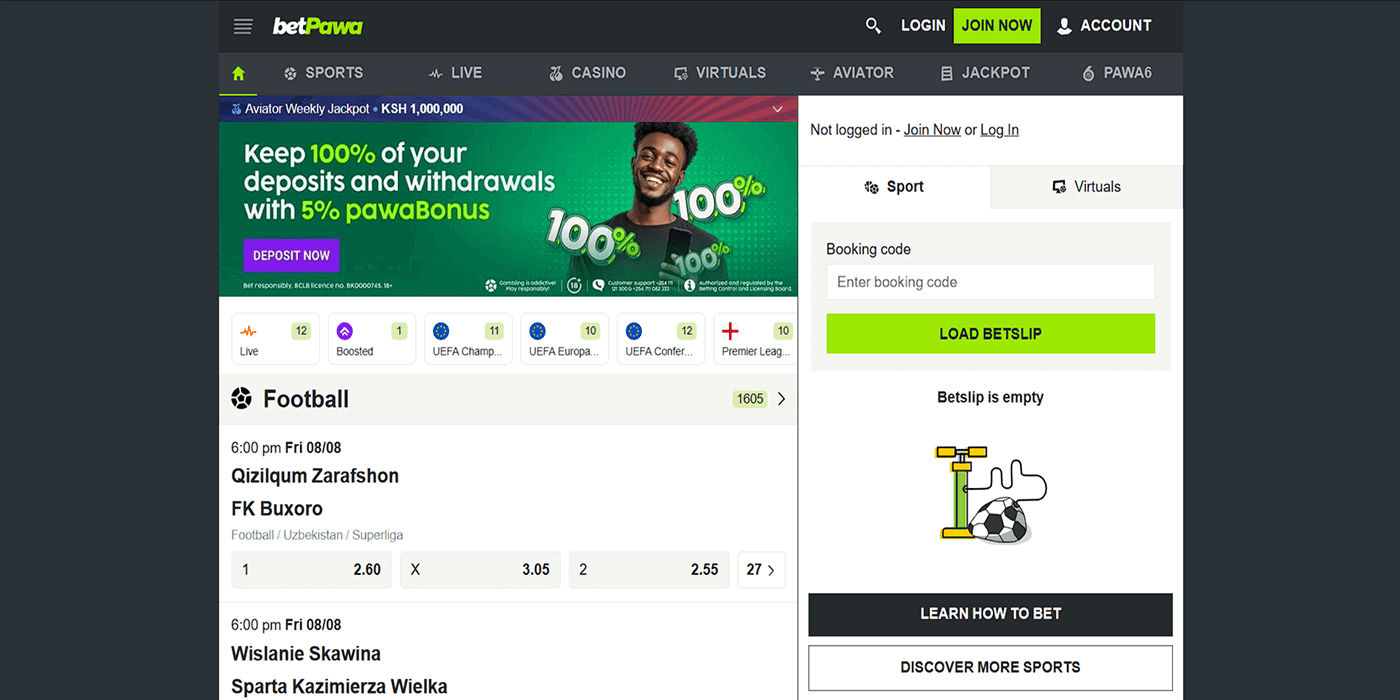
Betpawa Login via Website

Betpawa Sign-In Issues & Solutions

Sometimes obstacles arise when trying to access your Betpawa account. These issues can usually be solved quickly with a few key steps.

  • Forgotten Account Password

Forgetting your password can happen to anyone, especially if you haven’t logged in for a while or regularly use multiple betting platforms. In this situation, simply use the “Forgot PIN?” link on the login screen and follow the instructions to reset your password securely.

  • Account Lockout

Repeated failed login attempts can temporarily lock your Betpawa account until your identity is confirmed. If this happens, wait for a short period before trying again or use the password recovery feature. If you can’t unlock your account, reach out to Betpawa’s customer support for personalised assistance.

  • Technical Issues With Account Login

When logging in, you may encounter error messages, an unresponsive button, or other technical issues. Each problem often has a straightforward solution:

Issue Possible Cause Solution
Page won’t load Slow or unstable internet connection Switch to a stronger network or refresh your browser.
Login error Incorrect phone number or password entered Double-check details and input them accurately.
App crashes Outdated app version or insufficient phone storage Update your app or free up space on your device.
Unresponsive login button Browser cache needs clearing, or there is an app glitch Clear cache and cookies, or restart your app.

If your login problem still persists after following these steps, it’s best to get in touch with Betpawa Tanzania’s customer support team:

FAQ

General Login Questions

Can I change my login information?
To update details like your phone number or PIN, go to the Account section within your Betpawa profile settings once logged in.
I have lost access to my Tanzanian phone number. What would I do?
If you lose access to your registered number, contact Betpawa customer support using email or chat to help you recover your account.

Account Security

Can I sign in to Betpawa on a public Wi-Fi network?
Logging in from public Wi-Fi may expose you to security risks. It’s better to use a trusted, password-protected network whenever possible.
Is it safe to sign in to Betpawa TZ automatically?
While convenient, using this setting on shared devices can risk account security. Only use it on personal devices you control.