

Login to Your Wasafibet Account in 2026 Tanzania
Wasafibet makes logging in easy for Tanzanian bettors, with a choice of full-featured apps, a responsive website, and even USSD entry. Choose the method that suits your device or data preferences from the table below.
| Method | Description | Link |
|---|---|---|
| Mobile app | Best for Android and iOS bettors | Download Wasafibet App |
| Website | Fast browser access | Wasafibet Website Login |
| USSD | Login with no data needed | Dial 14948# |
Wasafibet Mobile App Login
Wasafibet offers dedicated mobile apps for both Android and iOS devices, giving you flexible account access on the go. The apps provide a seamless login experience and reflect the full site’s betting features. If you are on Android or iOS, downloading and using the app may be the most comfortable way to manage your account.
Follow these steps for a straightforward app login:
Find the official Wasafibet site using the link we provide. The link guarantees you get to the original page smoothly.
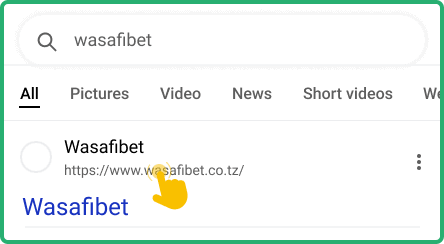
Find the link to the App page in the footer. Choose between the Android and iOS apps and download them from the official source.

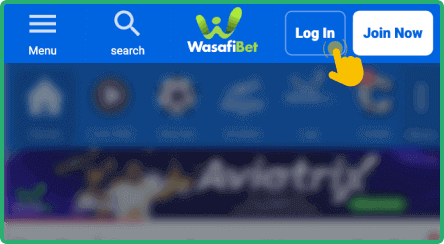
Find the installed app on your device screen, launch it and press the Login button.
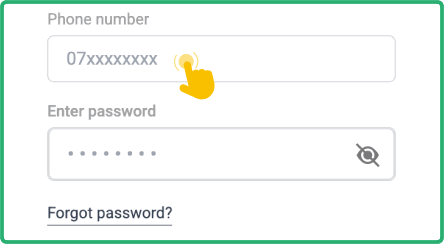
Type in your registered phone number and your secure password, making sure they match exactly.
The Wasafibet apps require Android 5.1 or iOS 12.1 and later, at least 1GB RAM, and around 12MB storage. Make sure your device connects to the internet for full app functions.
| Parameter | System Requirements |
|---|---|
| Operating system | Android 7.0 or later/ iOS 14.3 or later |
| Random-access memory | 1GB RAM required |
| Storage space required | At least 40 MB for iOS app and 20 MB for Android |
| Internet connection | Your device should be connected to the internet for full app functions |


Wasafibet Login via Website
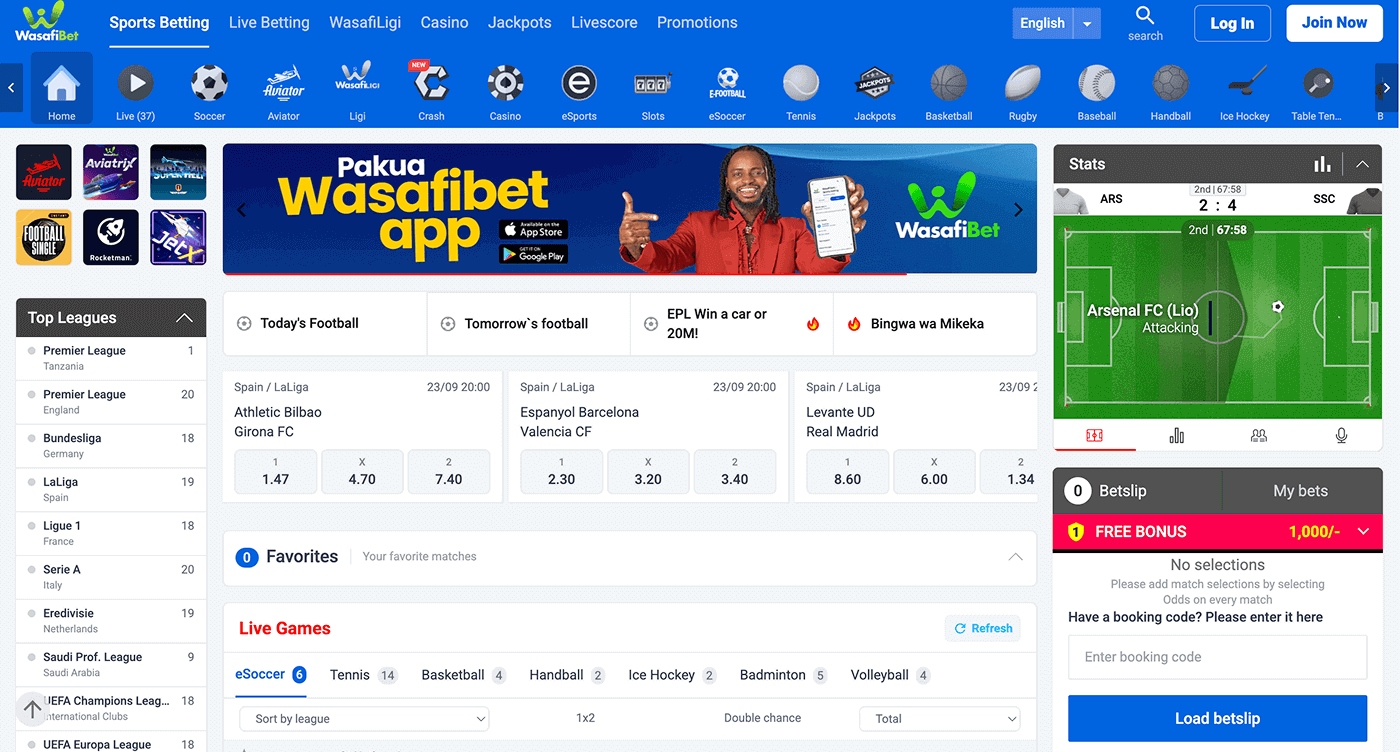
If you prefer using a browser, Wasafibet’s website lets you log in from almost any device. The site design works well on computers, tablets, and smartphones, supporting a smooth user experience.
Steps for logging in online:
- Access the website. Go to the Wasafibet website by clicking the link on this page.
- Find the login option. The login button appears at the top right corner – click or tap it to open the form.
- Input login credentials. Enter your registered phone number and your most recent password in the required fields.
- Confirm and log in. Press the green “Login” button and you’ll access your private betting area.
Wasafibet Data Free Login
Controlling data costs matters for many Wasafibet users across Tanzania. The bookmaker supports login through USSD by dialling 14948#, which does not use internet bundles. This is perfect if you have limited or no data and need quick account access for checking your status or placing a bet.
Wasafibet’s mobile apps use a moderate amount of data, while the website may consume more – especially if you use rich graphics or live betting. The USSD option keeps spending low, so it fits well for those who wish to manage expenses.
| Method | Data Usage | Features available |
|---|---|---|
| USSD | No | Betting and deposits to your account |
| Mobile app | Moderate | Full access to features: betting, account management, promotions, statistics |
| Desktop website | High | Complete functionality + more sophisticated options like live streaming |