
BetPawa brings sports betting directly to Android users in Tanzania with a sleek, fast, and easy-to-navigate app developed by a seasoned team. Its widespread appeal among locals springs from features tailored for rapid betting, reliable mobile money transactions, and clear odds, perfectly matching the habits of users who prefer placing bets on the go.

Download BetPawa Android Bookmaker App on Your Phone
Operating system
Android 5.0
RAM
1GB
Memory
300 MB
Languages
Swahili, English
BetPawa Welcome bonus
---
BetPawa is fully legitimate and operates with a license from the Gaming Board of Tanzania, so players enjoy a legal and safe environment. Given the sky-high Android smartphone adoption rate in the country, BetPawa’s mobile-first approach makes it a top choice for sports fans looking to place quick bets right from their gadgets. This guide reveals how Tanzanian users can safely download and use the app, and why it stands out compared to others.
BetPawa Android Application Design and Interface
BetPawa’s Android app follows a minimal and lightweight approach in its design, using a green and white palette that’s easy on the eyes. Quick navigation and intuitive menus let users move smoothly from one section to another, with the menu bar at the bottom for easy thumb access. On the homepage users see a list of current sports, featured matches, and direct access to bet slips, creating an uncluttered and welcoming first impression.
Bonuses Available for BetPawa Android Users
Bonuses on BetPawa’s Android app add a fun twist to sports betting. New and regular users get various offers, and these can lift the whole betting atmosphere for both casual and more frequent punters.
- BetPawa gives new players special bet-and-get deals after meeting certain criteria, often in the form of free bets.
- Regular users sometimes receive offers such as cashback on losses or “win bonuses” for winning accumulators.
- Unique promos tied to local events or specific sporting occasions pop up regularly.
There are currently no exclusive bonuses for downloading the Android app itself, but app users enjoy the same rewards as desktop or browser users.
Installation and Registration Guide for BetPawa Android App
BetPawa fans should always get the app from the official website or Google Play to avoid fake or unsafe copies. Sticking to the recommended process not only secures the real app but also shields the user’s information and funds.
1
Visit the Official BetPawa Website
Go to the BetPawa Tanzania website using your Android browser, preferably via our link for direct access.

2
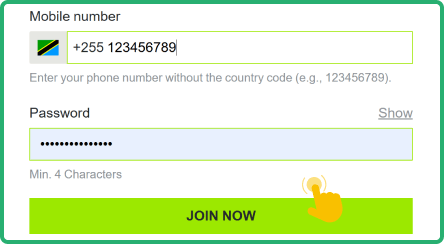
Create and Verify a New Account
Sign up with your details and verify your registration either through SMS or email confirmation, which usually takes a minute.
3
Download the App from Google Play Store
The app page features a download button that sends you to Google Play when you tap it, keeping things simple and safe.  Download BetPawa Android App
Download BetPawa Android App
4
Install and Find BetPawa on Your Phone
Wait a short while for installation, then spot the BetPawa icon on your phone’s home screen or in the app drawer.
If you ever decide not to download the Android app, the BetPawa mobile site works just as smoothly in any browser, so sports betting remains accessible.
How To Log In To Your Account on BetPawa Android App
Logging in on the BetPawa Android app matches the desktop flow, but there are some simple steps to keep your information safe and your session hassle-free.
1
Find and Open the BetPawa App
Spot the green BetPawa icon on your Android phone or tablet and tap to launch.
2
Enter Your Account Credentials
Click the “Sign In” button, then type in your username and password in the provided fields.
3
Verify and Access Your Profile
Review your credentials, keep the session private and proceed to your main profile page after logging in.
4
Deposit and Start Placing Bets
After logging in, top up your balance using mobile money and browse through sports to place wagers.
Alternatively, users can stick to the mobile website on any phone or tablet. Add the site shortcut to the home screen through the browser settings for a near-identical app feeling.
BetPawa Android App System Requirements
BetPawa’s developers designed their Android app for wide compatibility, so nearly all smartphones and tablets in Tanzania will run it well. The table below lists the most important requirements and features to check before downloading.
| Parameter | Description |
|---|---|
| License | Licensed by the Gaming Board of Tanzania (GBT); fully legal for Tanzanian users. |
| Operating System Version | Android 5.0 or later needed to download and use BetPawa app. |
| Free memory space | At least 50–80 MB of free storage for smooth installation and updates. |
| RAM | Minimum 1 GB RAM for stable and glitch-free performance. |
| Deposit and withdrawal methods | Mobile money such as M-Pesa, Tigo Pesa, Airtel Money, and others. |
| Sports betting events available | Covers football, basketball, tennis, and selected local and global sports. |
| Betting markets and odds | Offers match result, totals, some popular options; odds in decimal format. |
| Languages | Swahili and English, switching easily in the profile or settings menu. |
Updating BetPawa Android App to the Latest Version 2026
Sticking with an outdated BetPawa version might mean missing new sports, promotions, or the best security. Users risk lag, bugs, or missed features by skipping updates, and older versions are less reliable as rules change.
- Head to the Google Play Store and launch it on your device.
- Tap the round profile icon in the upper right, then select Manage apps & device.
- Look up "Updates available" or tap "See details" for a full list.
- Select “Update all” to update everything at once, or just hit “Update” for BetPawa.
BetPawa Android Mobile App Main Features
The BetPawa Android app includes every crucial feature found on the desktop and mobile web platforms, so users do not sacrifice functionality when going mobile. Sports punters in Tanzania appreciate having smooth account management, mobile-money payments, and quick access to bets right from their smartphones or tablets. The lightweight build and simple menus make it a breeze to find matches, place pre-match or live bets, and collect winnings quickly.

Push Notifications
BetPawa sends timely push notifications about bet results, special promotions, or new sports matches right to your phone so users stay in the loop.

Live Betting and Streaming
With the live betting section, users can react to ongoing matches and changes in real time. Although streaming isn’t a core part of the app, quick updates help players follow the action and adjust their bets promptly.

Face ID Access
Face ID access adds a secure layer while making it simple to unlock the app and start betting. Supported Android phones use this feature, which saves time and secures the account.
Customer Support Available for Android Users
Getting support through the BetPawa Android app is fast and tailored for Tanzanian customers. Support channels stay close at hand for help with deposits, withdrawals, or account questions, and in-app FAQs cover common issues.
- Live chat
- Email support
- Phone hotline (when needed)
- In-app FAQ for quick answers
Pros and Cons of the BetPawa App for Android
Pros
- BetPawa carries a full Tanzanian license and operates fully within the country’s gaming laws.
- Mobile money payment options such as M-Pesa and Airtel Money make funding accounts fast and simple.
- Swahili and English support means straightforward navigation for all Tanzanian users.
- The app works well for beginners thanks to its clear menus and simple betting markets.
- You can check your bet history, make deposits, or withdraw winnings all in one streamlined place.
Cons
- BetPawa focuses mostly on football and a few other sports, which can limit options for fans of lesser-known events.
- Users looking for rare or niche betting markets will not find as much depth as on bigger international platforms.
- No dedicated iOS app means those on iPhones need to use the browser version.
FAQ
Is the BetPawa Android app legal in Tanzania?
Yes, BetPawa operates with a current license from the Gaming Board of Tanzania, which makes it a legally approved and regulated mobile betting platform in the country. All sports wagers within the app fall under Tanzanian laws, giving peace of mind to anyone who prefers to use only legal betting products.
Do I need to pay to download BetPawa app for Android?
No, BetPawa provides its Android application totally free to users in Tanzania. Downloading the app from Google Play or the official BetPawa website will never add charges to your phone or account. If any website or channel asks for payment, it is likely a fake and should be avoided for your safety.
How can I check if my device is compatible with BetPawa Android application?
To check compatibility, make sure your phone or tablet uses Android 5.0 or above and has at least 50 MB of spare memory and 1 GB RAM. If your device matches or surpasses these specifications, the app will download and work as intended. You can also double check system requirements on the app’s Google Play page or on BetPawa’s official site.