
Logging into your Betpawa Tanzania account stands as the gateway to all betting options, live sports, and your transaction history. Players need to complete the login process each time, either via the Android app or website, in order to place bets and manage their account securely. Familiarity with the correct steps for signing in will help you avoid unnecessary frustration and ensure your sessions run smoothly.

Betpawa Tanzania Login to My Account – How to Sign in to Your Account
Min.payout
470 TZS
Min. deposit
235 TZS
Payout Speed
up to 24 hours
Withdrawal limit
No Limit
BetPawa Welcome bonus
---
Play Now
21+
| New customers only
Login to Your Betpawa Account in 2026 Tanzania
Accessing Betpawa in Tanzania during 2026 offers a few straightforward methods to reach your account. While each method keeps your data secure, your device preference and internet connection may determine which one you use. See the quick comparison below:
| Method | Description | Link |
|---|---|---|
| Mobile app | Preferred by Android users for easy access and fast navigation | Download Betpawa App |
| Website | Log in using any browser for all features and a full site experience | Betpawa Website Login |
Betpawa Mobile App Login
Betpawa Tanzania provides a dedicated Android app, making betting from your mobile straightforward for most users in the country. The Betpawa app is designed specifically for Android devices, and there is currently no iOS app available—iOS users should sign in through the mobile website instead. The app brings a smooth user experience, fast access to markets, and streamlined account management for on-the-go sessions.
The Android app login process consists of the following steps:
1
Go to the Betpawa site
Use our link to access the official site of the bookmaker and avoid scam copies in the future.

2
Download the Official App
Find the App page behind the ‘Account’-’Help section’ buttons.

3
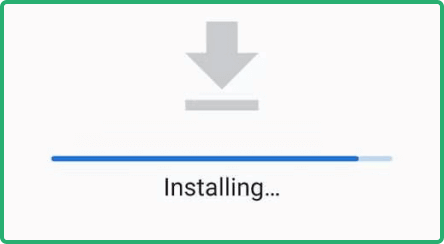
Install the App
Make sure to allow installations from unknown sources in the settings of your mobile device and install the downloaded APK.
4
Launch the app and log in
Input your registered phone number and PIN, then confirm by tapping the login button.
| Parameter | System Requirements |
|---|---|
| Operating system | You’ll need a device running Android 5.1 or higher |
| Random-access memory | At least 1GB of RAM |
| Storage space required | Needs a minimum of 1.85MB of storage |
| Internet connection | A stable internet connection is needed for a smooth app experience |


Betpawa Login via Website
Logging in through the Betpawa website gives you the flexibility to access your account from almost any device with a browser and an internet connection. The interface remains intuitive and user-friendly, whether you’re on a desktop or a mobile browser.
Here's the guide for a straightforward website sign-in:
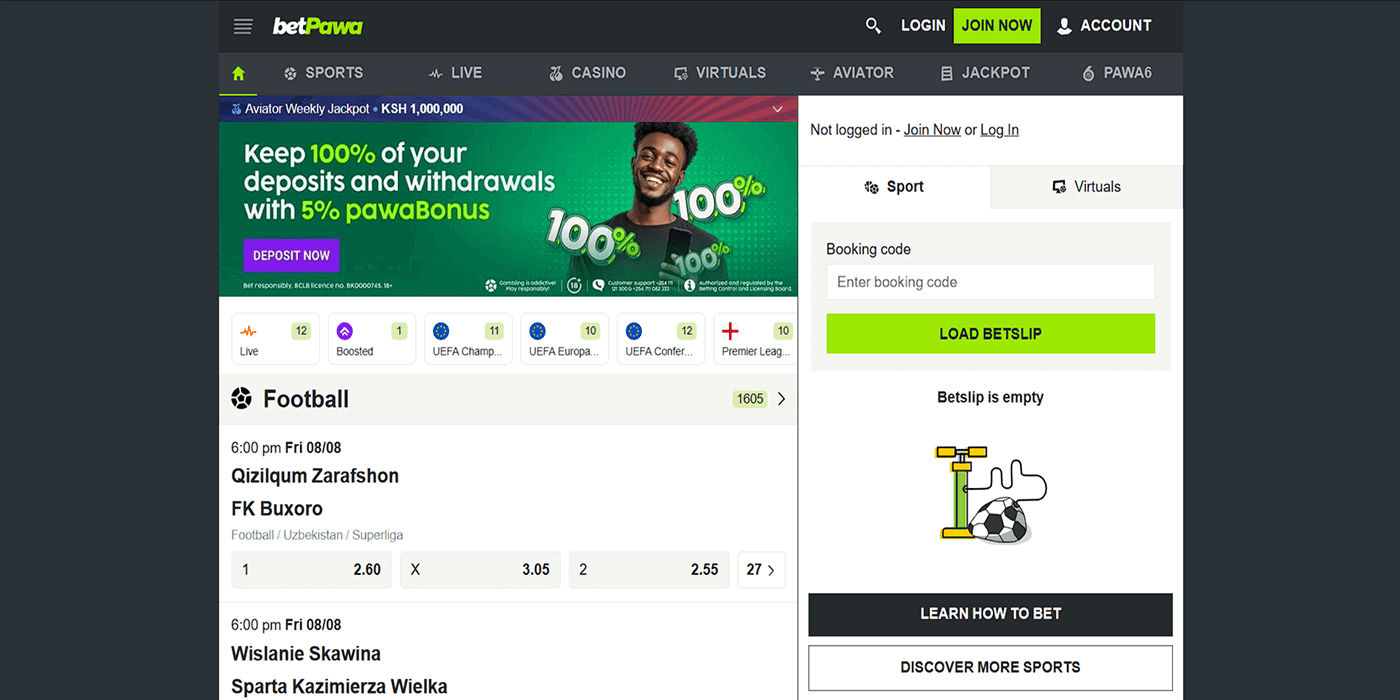
- Go to the official Betpawa TZ site. Open the Betpawa website on your browser by following the provided link.
- Find the Login button. Click on the Login button positioned at the upper right corner of the homepage.
- Fill out the form. Type in your phone number and PIN as registered for your Betpawa account. Double-check your credentials.
- Complete the sign-in. Press the green “Log in” button to reach your account dashboard and start exploring the betting options.
Betpawa Sign-In Issues & Solutions
Sometimes obstacles arise when trying to access your Betpawa account. These issues can usually be solved quickly with a few key steps.
- Forgotten Account Password
Forgetting your password can happen to anyone, especially if you haven’t logged in for a while or regularly use multiple betting platforms. In this situation, simply use the “Forgot PIN?” link on the login screen and follow the instructions to reset your password securely.
- Account Lockout
Repeated failed login attempts can temporarily lock your Betpawa account until your identity is confirmed. If this happens, wait for a short period before trying again or use the password recovery feature. If you can’t unlock your account, reach out to Betpawa’s customer support for personalised assistance.
- Technical Issues With Account Login
When logging in, you may encounter error messages, an unresponsive button, or other technical issues. Each problem often has a straightforward solution:
| Issue | Possible Cause | Solution |
|---|---|---|
| Page won’t load | Slow or unstable internet connection | Switch to a stronger network or refresh your browser. |
| Login error | Incorrect phone number or password entered | Double-check details and input them accurately. |
| App crashes | Outdated app version or insufficient phone storage | Update your app or free up space on your device. |
| Unresponsive login button | Browser cache needs clearing, or there is an app glitch | Clear cache and cookies, or restart your app. |
If your login problem still persists after following these steps, it’s best to get in touch with Betpawa Tanzania’s customer support team:
- Facebook manager betpawa.tanzania;
- Official Telegram channel @betpawa_kenya_bot;
- Callback.
FAQ
General Login Questions
Can I change my login information?
To update details like your phone number or PIN, go to the Account section within your Betpawa profile settings once logged in.
I have lost access to my Tanzanian phone number. What would I do?
If you lose access to your registered number, contact Betpawa customer support using email or chat to help you recover your account.
Account Security
Can I sign in to Betpawa on a public Wi-Fi network?
Logging in from public Wi-Fi may expose you to security risks. It’s better to use a trusted, password-protected network whenever possible.
Is it safe to sign in to Betpawa TZ automatically?
While convenient, using this setting on shared devices can risk account security. Only use it on personal devices you control.